
Give each technician their work, and only their work
Service managers assign visits and breakdowns. Each technician sees what is assigned to them, records the checklist and evidence on the job, and managers see what is late without phoning around.
Maintenance and AMC · Product tour
Technician management, step by step in the real app
Screenshots from the working product, using a fictional demo company. Select any screen to open it full size.
- Step 1
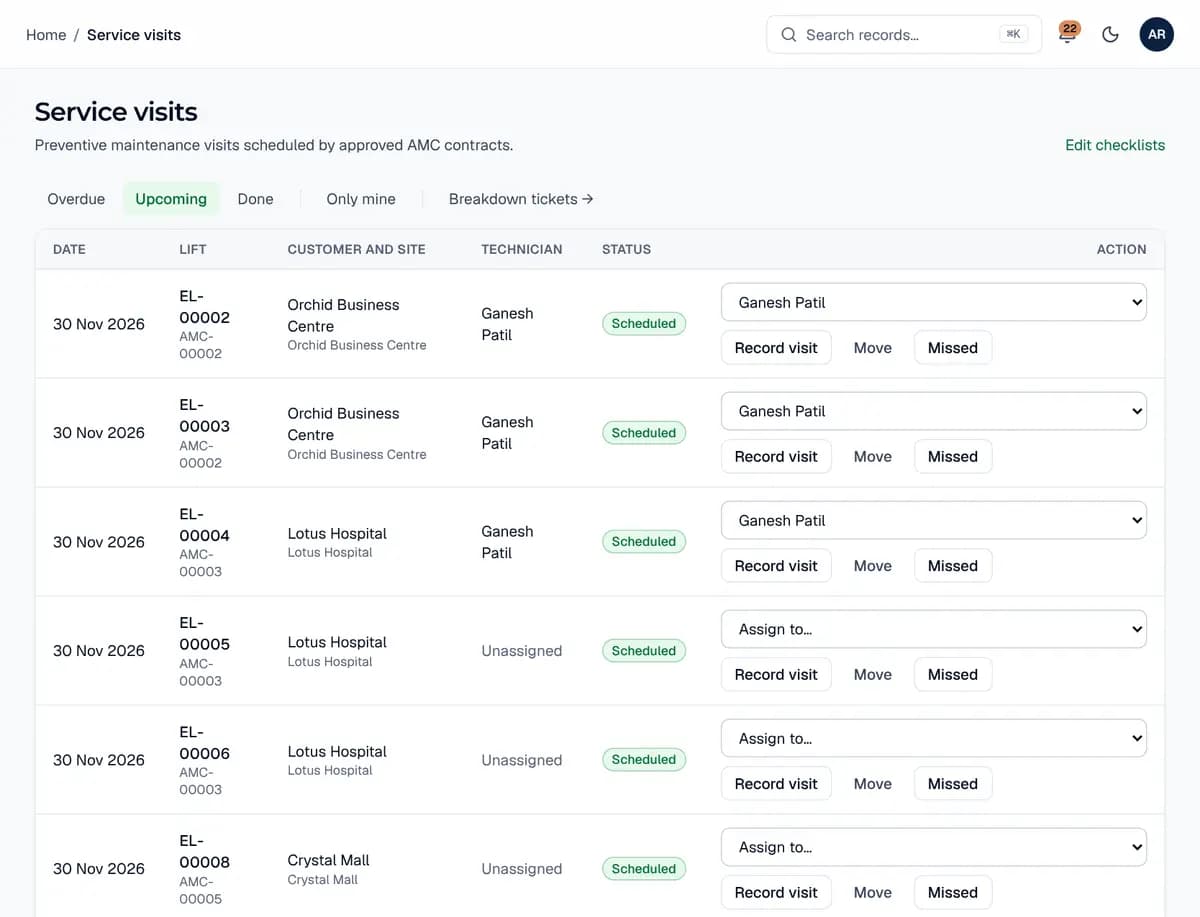
Assign and reassign
Service managers assign visits to technicians from the schedule, and move or mark them missed.
- Step 3
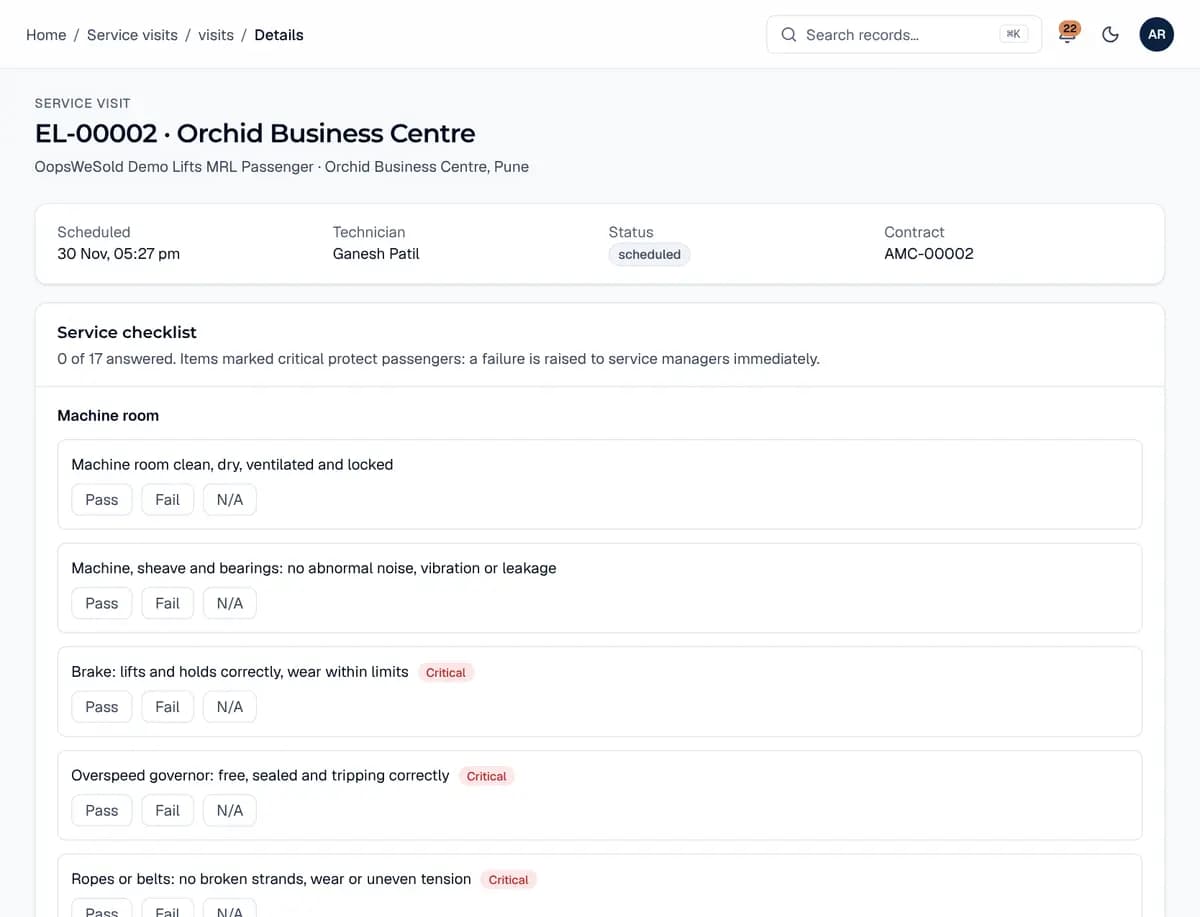
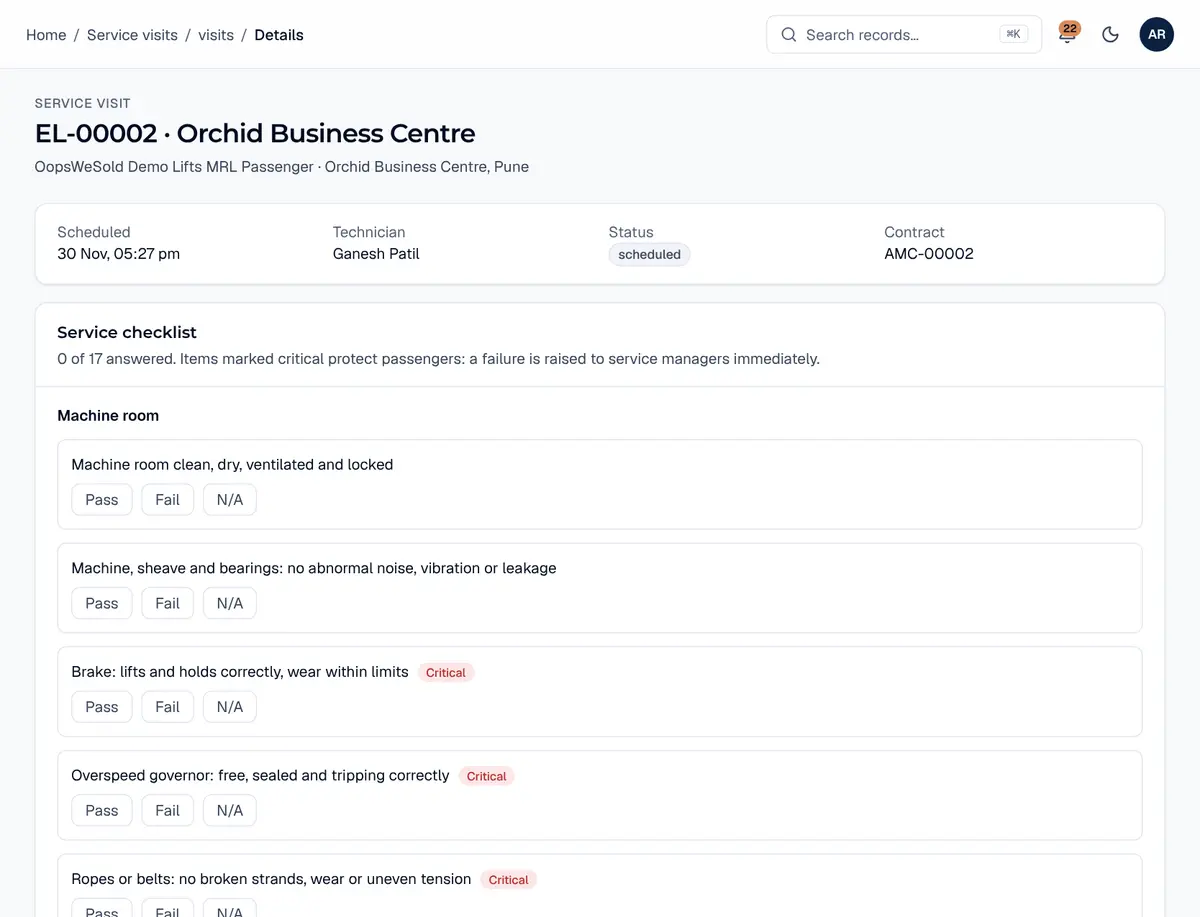
Checklist and evidence
Each item answered with reasons for failures, plus photos and signed documents.
- Step 4
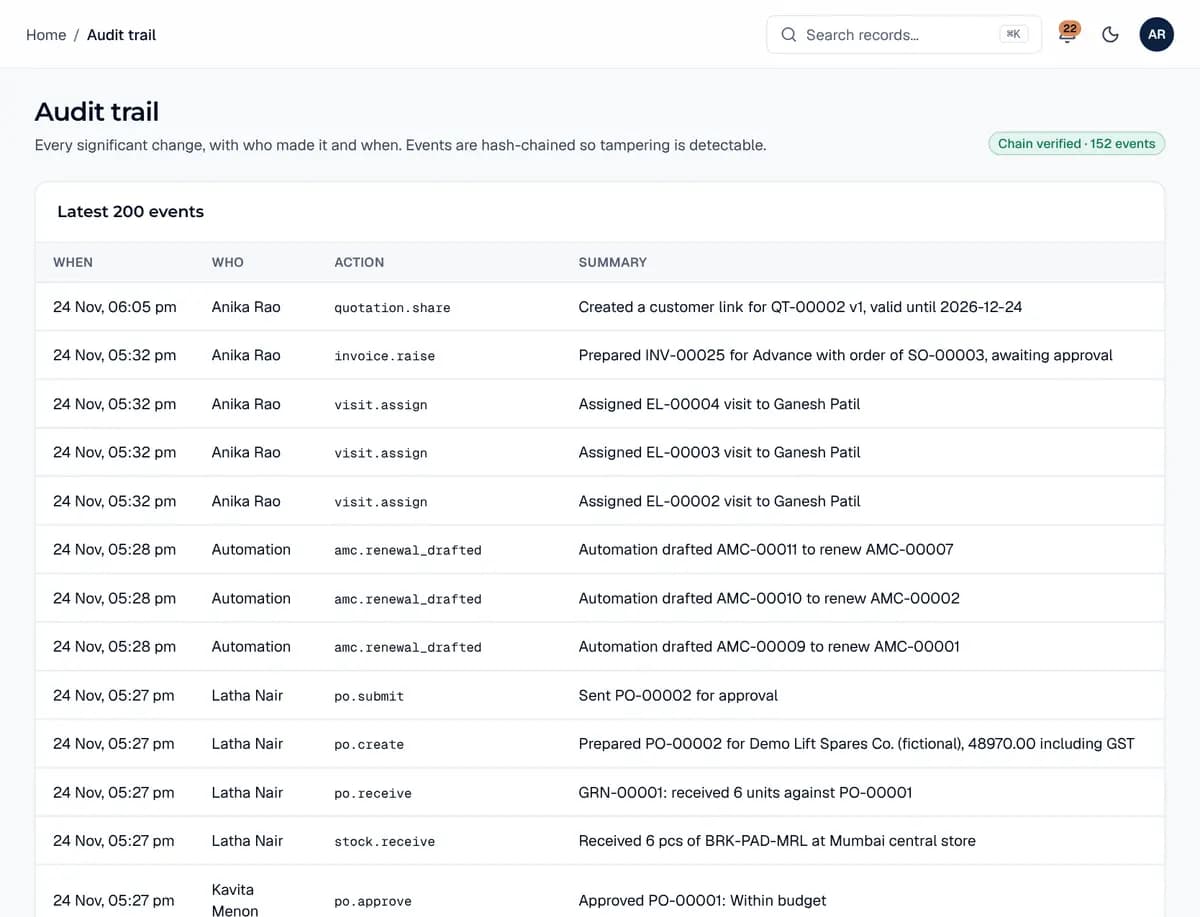
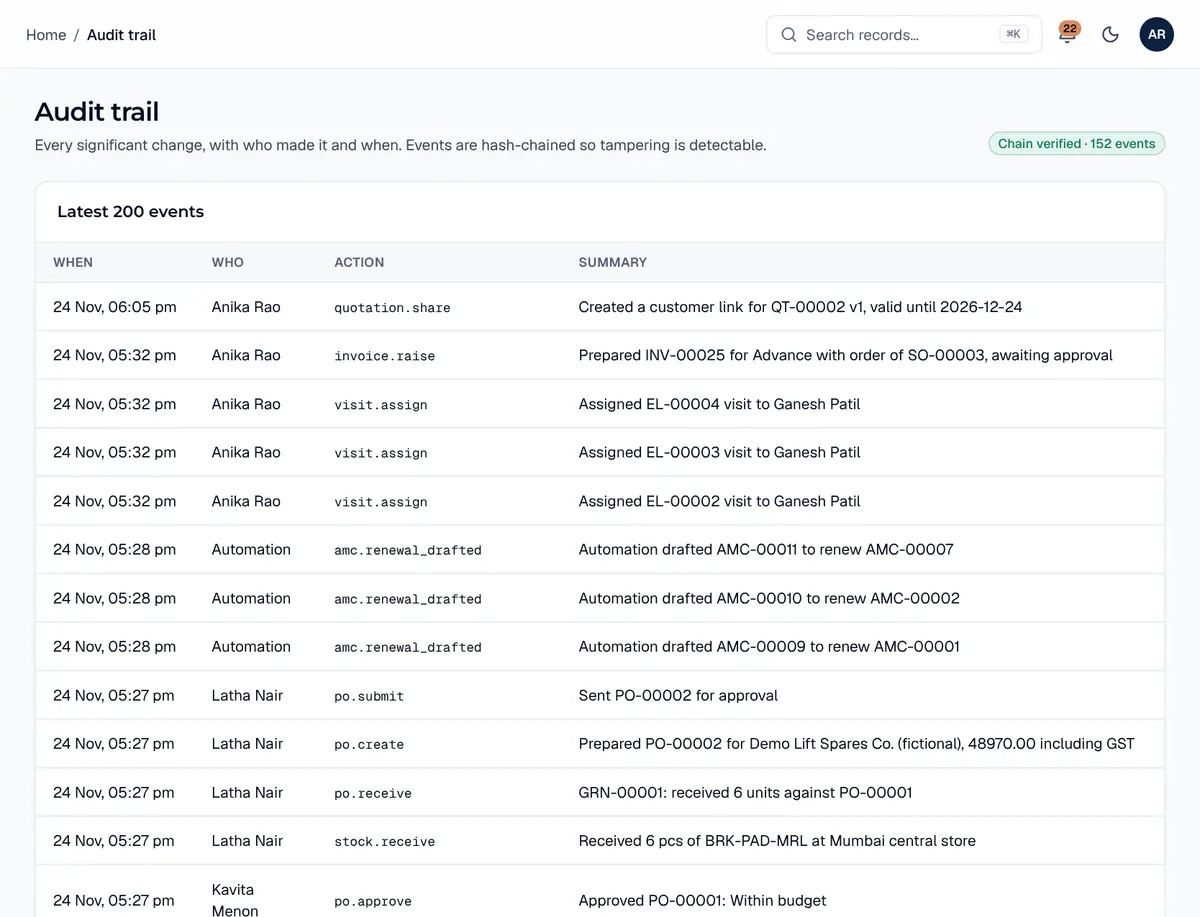
Every change recorded
Assignments, status changes and approvals are written to the audit trail with who and when.
How it helps
Clear work for each technician
Each person sees their own list, not the whole company's.
Managers hear about problems
Overdue visits, missed breakdown targets and failed safety items raise alerts.
A record you can show
Every visit keeps its checklist answers and attachments.
Compared with how it is usually done
Spreadsheets, Tally and general ERPs are good tools for what they were built for. This is where each one fits for this part of a lift business.
| Task | Excel, paper and WhatsApp | Tally or a general ERP | OopsWeSold |
|---|---|---|---|
| Tell technicians their jobs | Morning phone calls and WhatsApp | Not designed for field work | Assigned list on their phone browser |
| Collect visit reports | Paper cards collected weekly | Not available | Checklist and photos saved on the visit |
| Offline use | Paper works anywhere | Varies | Not yet: needs a connection today |
Other elevator software
We have not compared this area across other elevator software yet.
Checked on 24 November 2026, from each vendor's own website. See the full comparison.
Who it is for
- Service managers who assign and chase field work
- Technicians who need a clear list of today's jobs
- Owners who want proof that visits happened
The problem
Jobs are handed out by phone, and the only record of a visit is a paper slip that arrives days later, if at all.
How it works
- 1
Assign
Visits generated from AMC contracts and breakdowns raised by the office are assigned to a technician.
- 2
Do the job
The technician opens their assigned work on a phone browser, answers the checklist for that type of lift and attaches photos or documents.
- 3
Escalate
A failed safety-critical checklist item alerts service managers at once.
- 4
Follow up
Overdue visits and breakdowns past their response target are flagged on the schedule.
What you can do today
- Technician role that sees only assigned visits and breakdowns
- Assignment and reassignment by service managers
- Checklists answered item by item, with a reason required for every failure
- Photos and documents attached to the job
- Overdue-visit and missed-target alerts
- Every change recorded in the audit trail
Controls and records
- Visibility is enforced on the server, so a technician cannot open another person's job by changing a link
- Technicians can add evidence to their own jobs but not remove other people's files
Not available yet
So there are no surprises:
- A dedicated mobile app that works offline
- Skills, shifts and leave in the assignment screen
- Route planning and dispatch suggestions by location
Connected to
Questions
Do technicians need a laptop?
No. The web app works in a phone browser with a connection. An offline app is planned.
Can a technician see the whole customer list?
No. They see the jobs assigned to them and the lift and site details those jobs need.