
Keep your ledger. Stop retyping your invoices
OopsWeSold does not try to be your accounting system. It prepares invoices from the commercial records, makes a second person approve them, and posts each one once to your ERPNext ledger, then checks that what was posted matches.
Finance and automation · Product tour
Finance and accounting link, step by step in the real app
Screenshots from the working product, using a fictional demo company. Select any screen to open it full size.
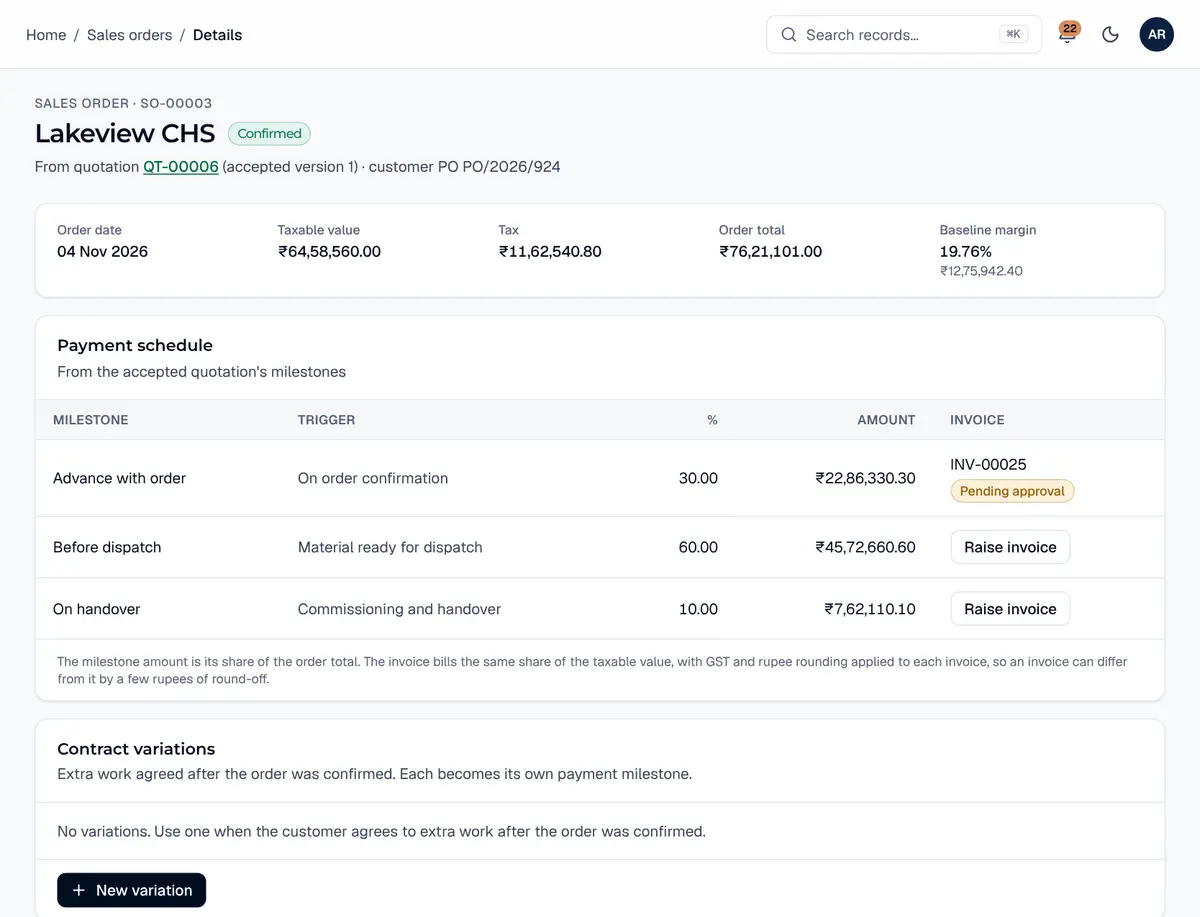
Invoice from a milestone
The sales order's payment schedule. Raise an invoice for a milestone when it falls due.
 Step 2
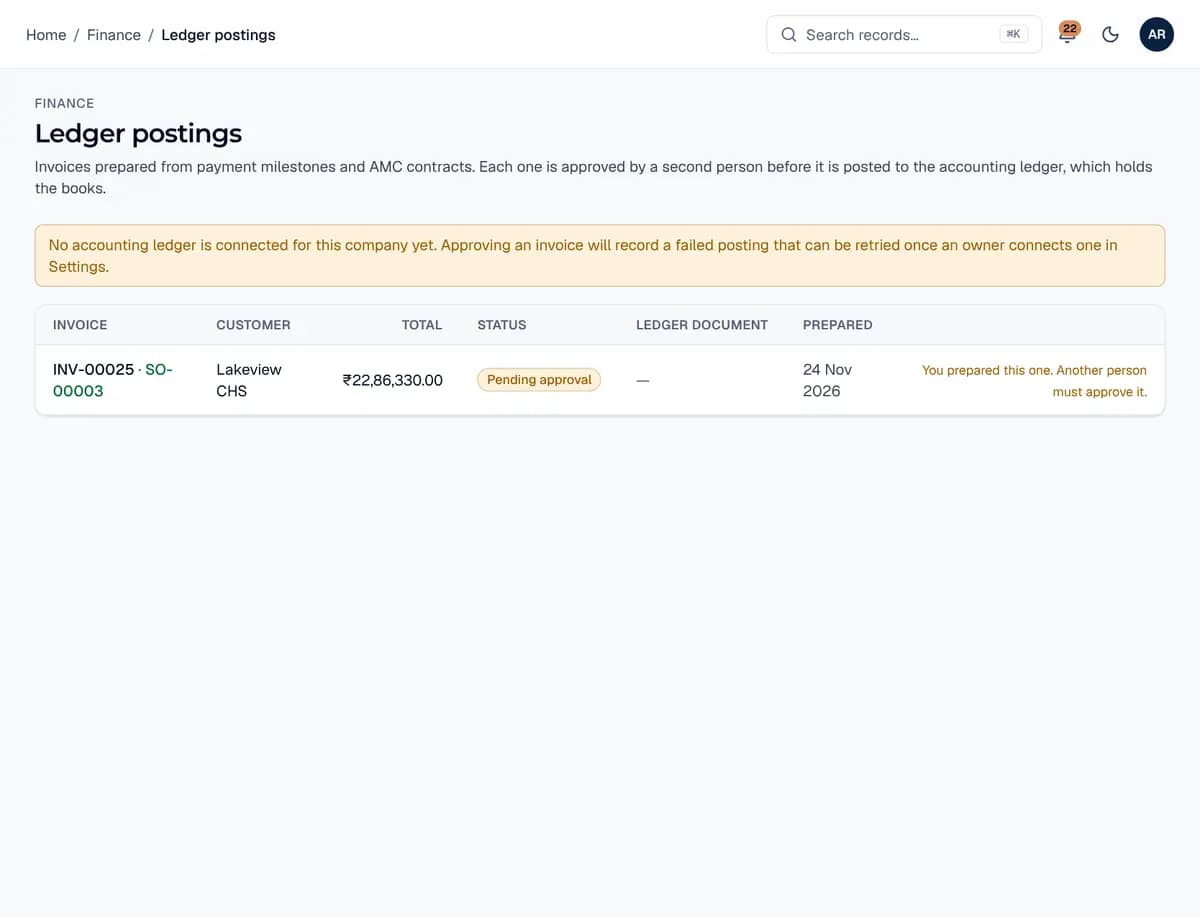
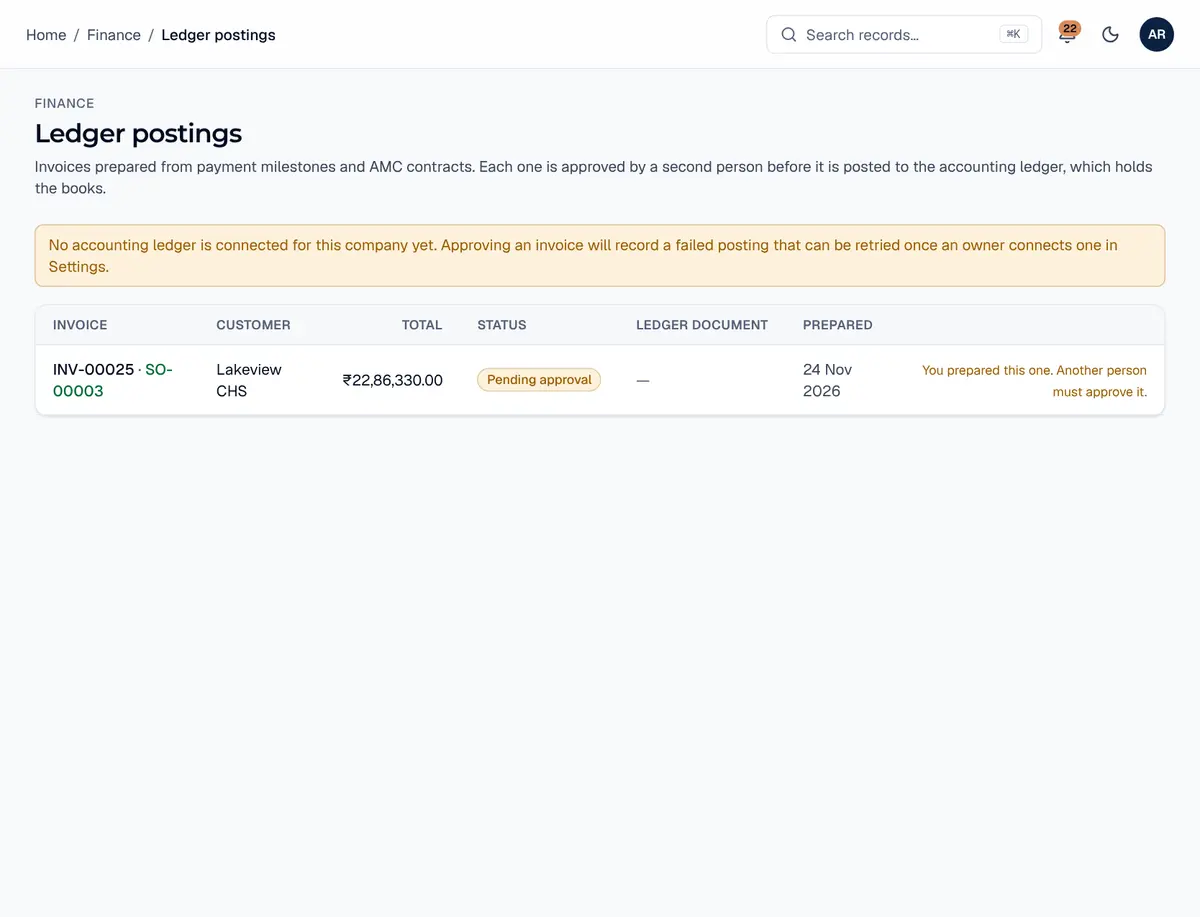
Approval and posting queue
Invoices wait for a second person. The preparer cannot approve their own.
 Step 3
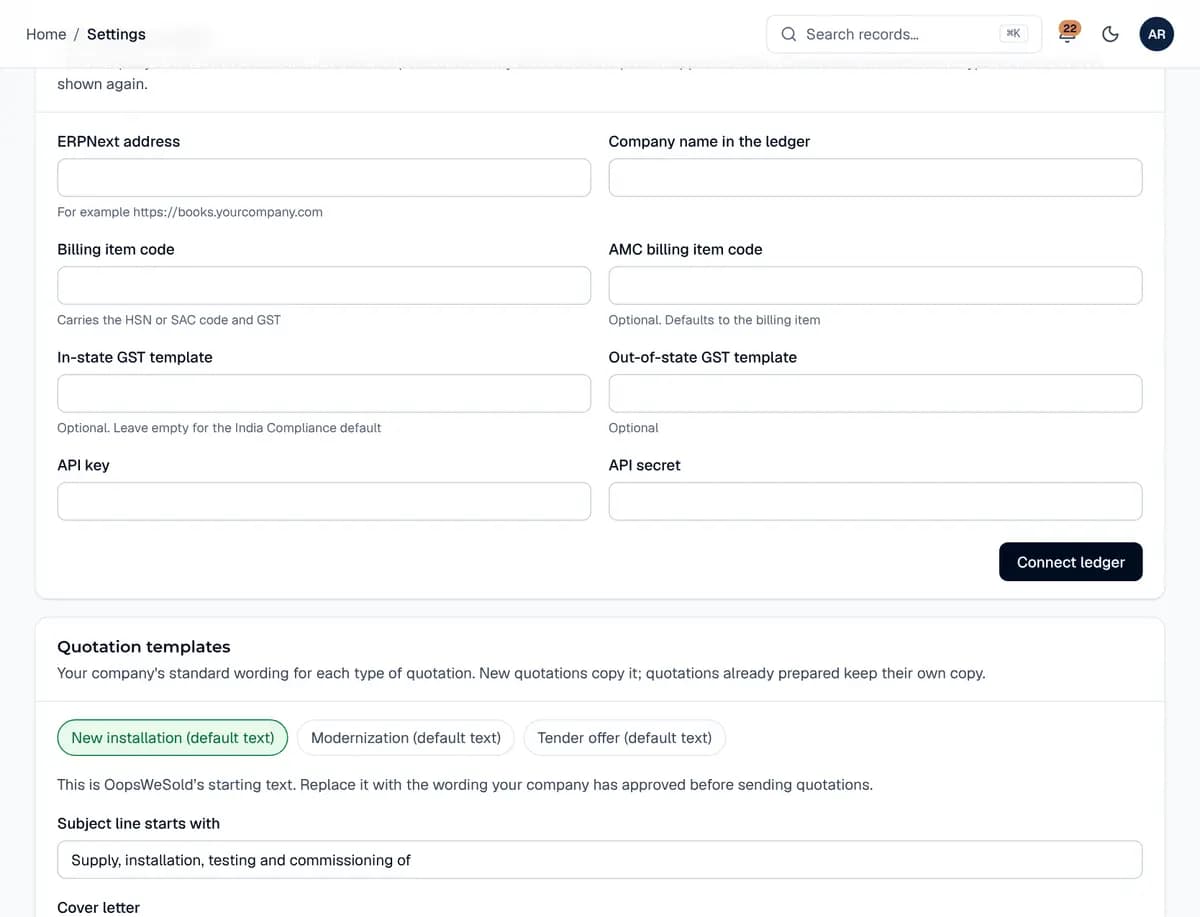
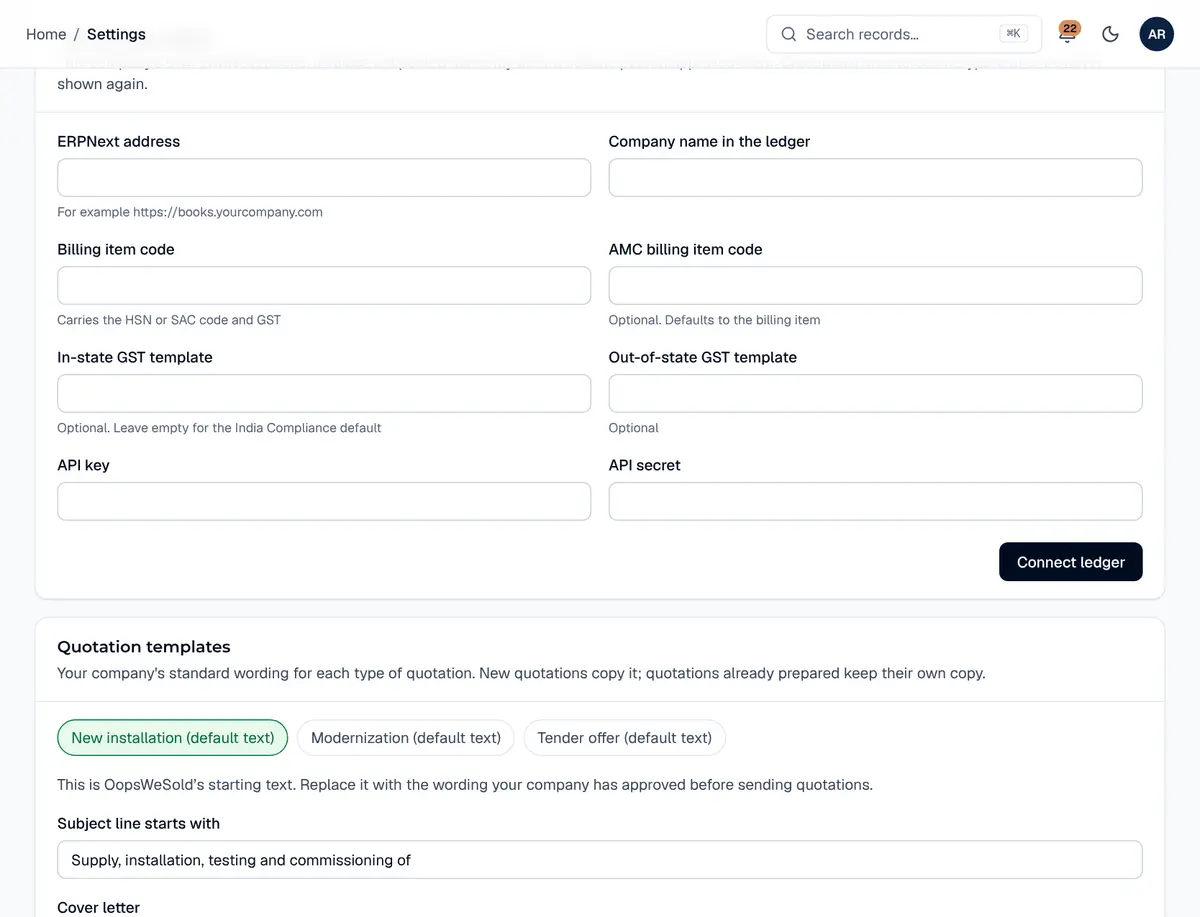
Your own ERPNext books
Each company connects its own ERPNext site. Credentials are stored encrypted and never shown again.
 Step 4
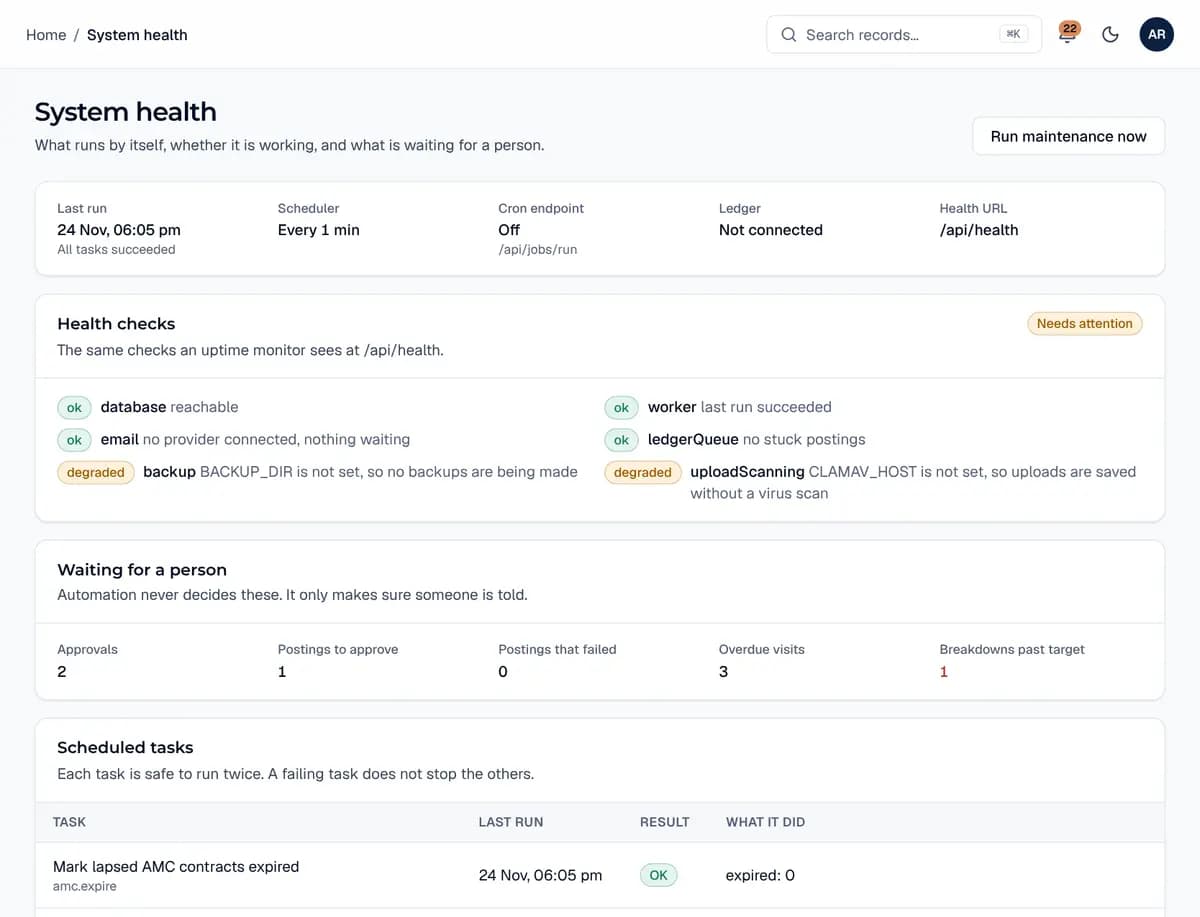
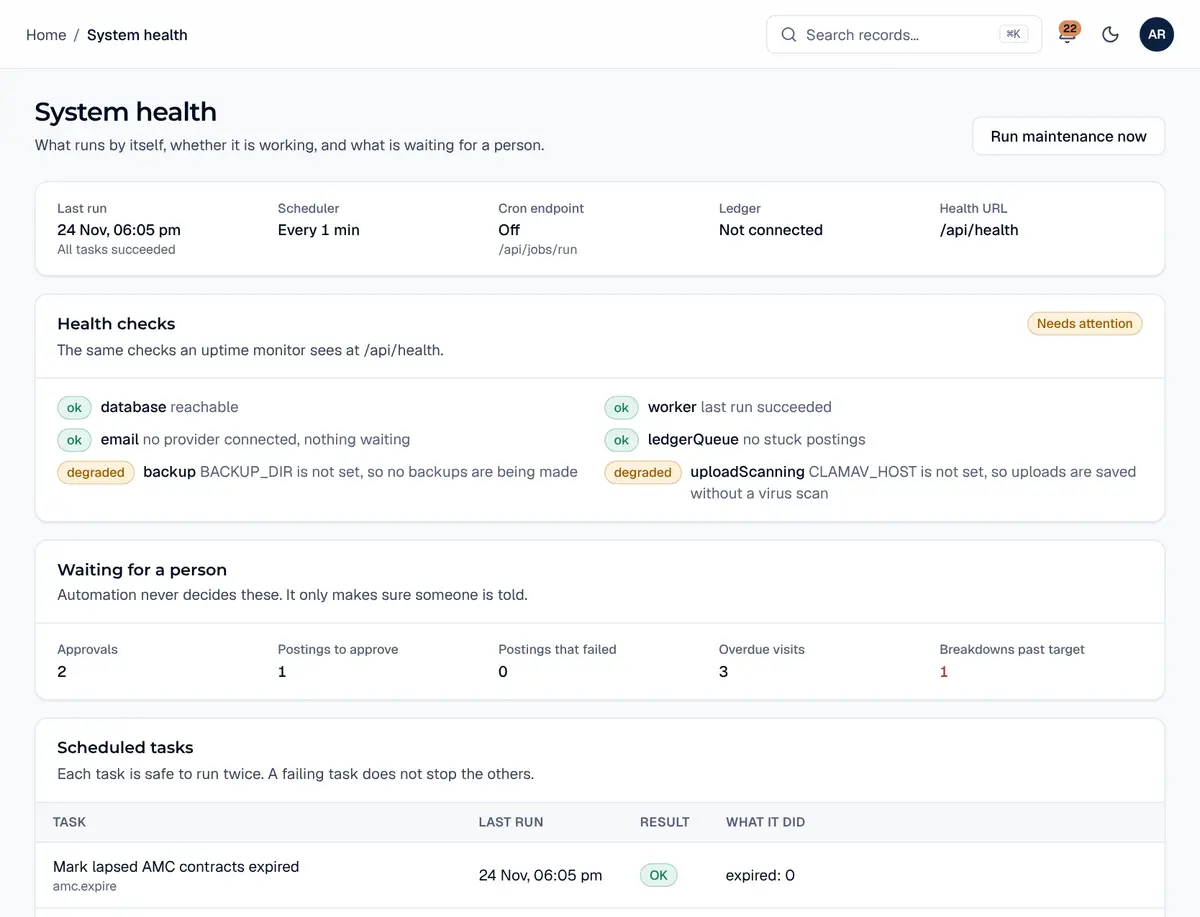
Health checks
Ledger connection, posting queue and reconciliation results on the system health page.
How it helps
Your books stay your books
OopsWeSold posts to your ERPNext ledger; it does not become a second set of accounts.
Posted once
A repeat posting is recognised, not duplicated, and failed postings retry with backoff.
Differences are found
Scheduled checks compare posted invoices with the ledger and tell finance.
Compared with how it is usually done
Spreadsheets, Tally and general ERPs are good tools for what they were built for. This is where each one fits for this part of a lift business.
| Task | Excel, paper and WhatsApp | Tally or a general ERP | OopsWeSold |
|---|---|---|---|
| Raise a milestone invoice | Sales tells accounts by email | Accounts raises it by hand from the order | Prepared from the milestone, approved, then posted |
| Keep the books | Accountant's files | Core strength | Your ERPNext ledger holds the books; needs setup |
| Catch double entries | Found at year end | Depends on care | One posting per invoice, read back and reconciled |
Other elevator software
We have not compared this area across other elevator software yet.
Checked on 24 November 2026, from each vendor's own website. See the full comparison.
Who it is for
- Finance heads and accountants
- Owners who want control over what reaches the books
The problem
Invoices are retyped from orders into the ledger, with mistakes in tax and customer details, and nobody can say which orders have been billed.
How it works
- 1
Prepare
An invoice is prepared from a payment milestone or an AMC term, with GST calculated and rounded to the rupee.
- 2
Approve
A person with approval rights, who is not the preparer, approves it.
- 3
Post once
The posting is sent to your ERPNext site once. A repeat is recognised, not duplicated, and failed postings retry with backoff.
- 4
Reconcile
Scheduled checks compare posted invoices with the ledger and tell finance about differences.
What you can do today
- Each company connects its own ERPNext site, with credentials stored encrypted
- Connection test before first use, and credential rotation
- Approval and posting queue with a clear failure reason
- Scheduled connection health checks and read-back reconciliation
Controls and records
- Preparer and approver must be different people
- The posted amounts are frozen before sending
- Credentials are encrypted and never shown again
Not available yet
So there are no surprises:
- Receipts and credit notes
- E-invoicing and GST filing
- Other accounting systems
Connected to
Questions
Can we keep Tally or another system?
Today the connection is to ERPNext. Other systems are not built.
Is the GST treatment verified?
The calculation is tested. The rate, HSN or SAC codes and invoice wording should be confirmed by your chartered accountant.