
A pipeline whose stages mean something
A pipeline where anyone can drag any deal to any column only tells you what people feel. In OopsWeSold a stage change has rules, so the board reflects what has actually happened on the deal.
Sales and CRM · Product tour
Sales pipeline, step by step in the real app
Screenshots from the working product, using a fictional demo company. Select any screen to open it full size.
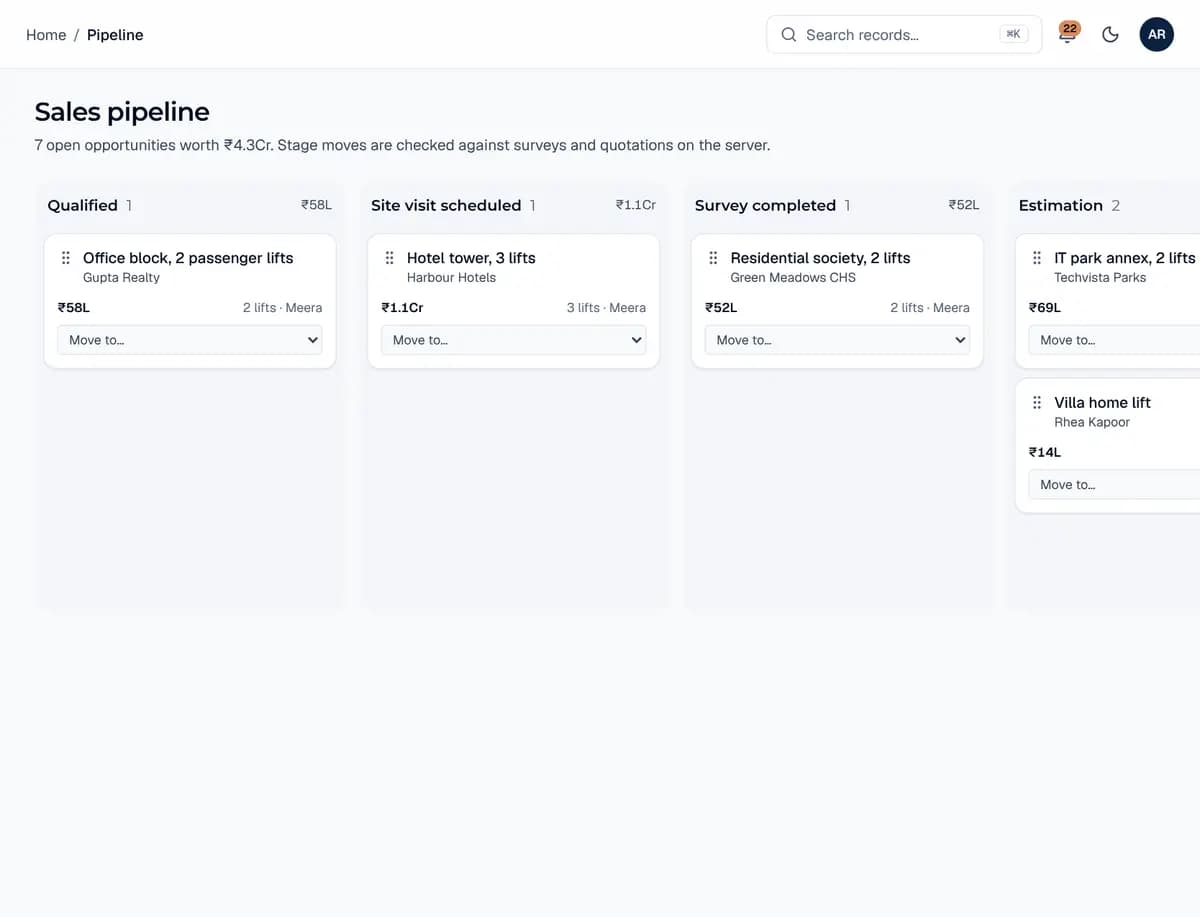 Step 1
The board
Opportunities by stage, from qualified and site visit to quotation, negotiation, won and lost, with values per stage.
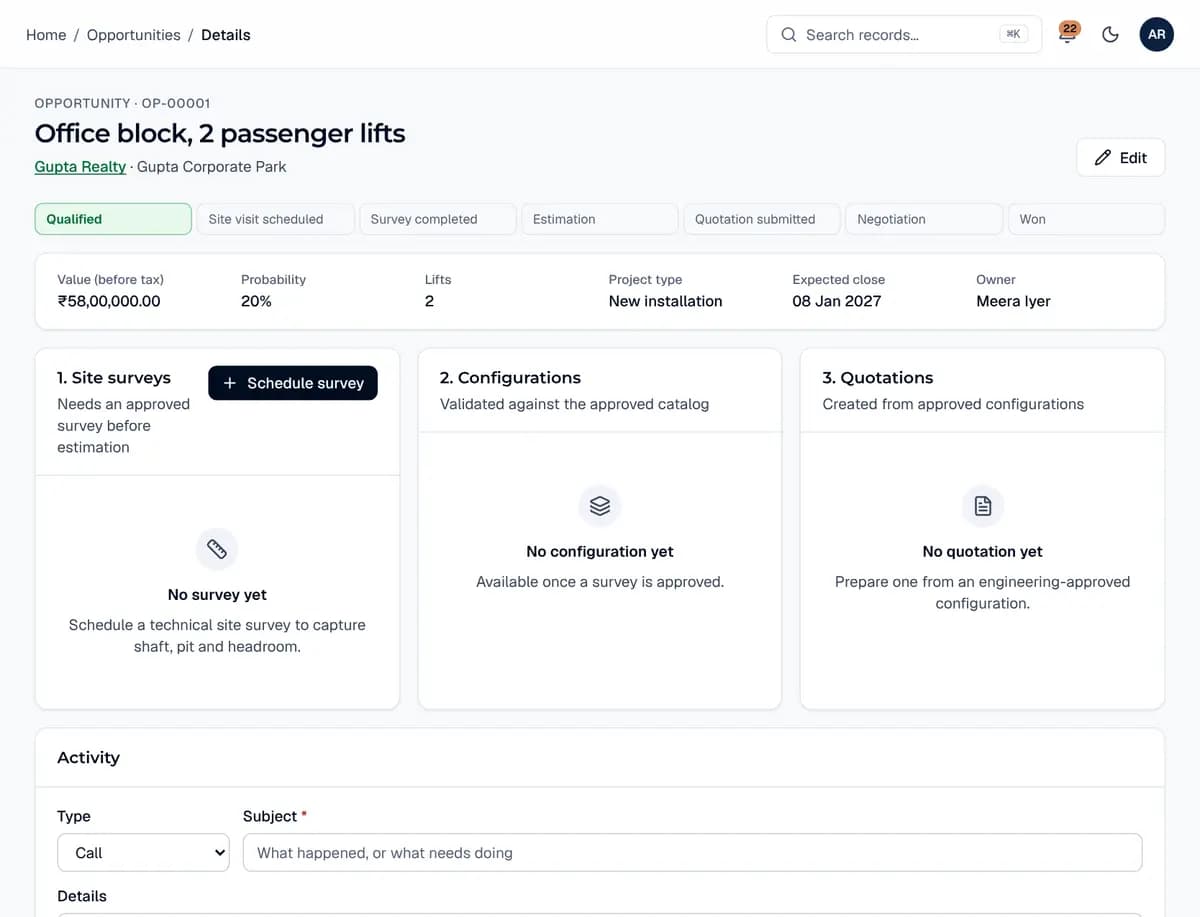 Step 2
Stage rules you can see
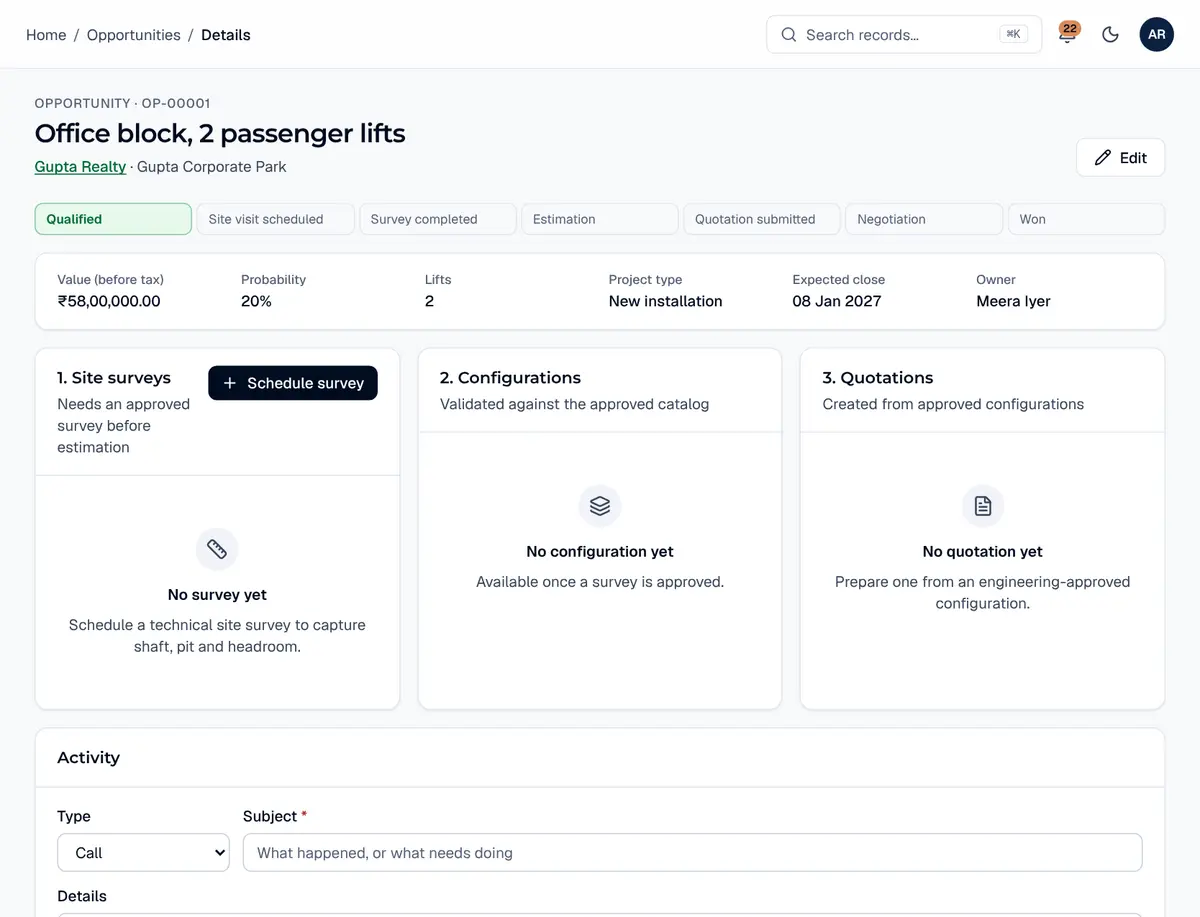
Each opportunity lists its surveys, configurations and quotations, so it is clear what must happen before the next stage.
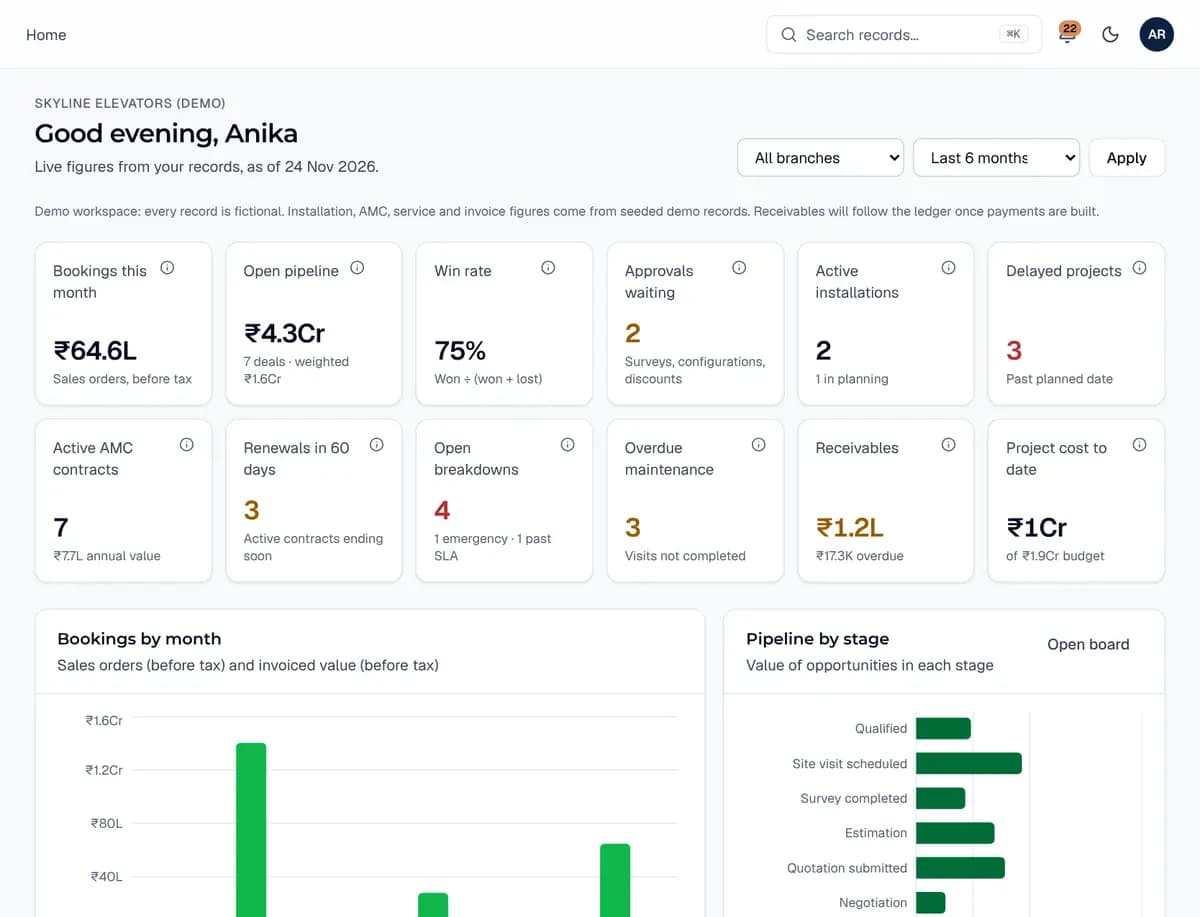 Step 3
Pipeline on the dashboard
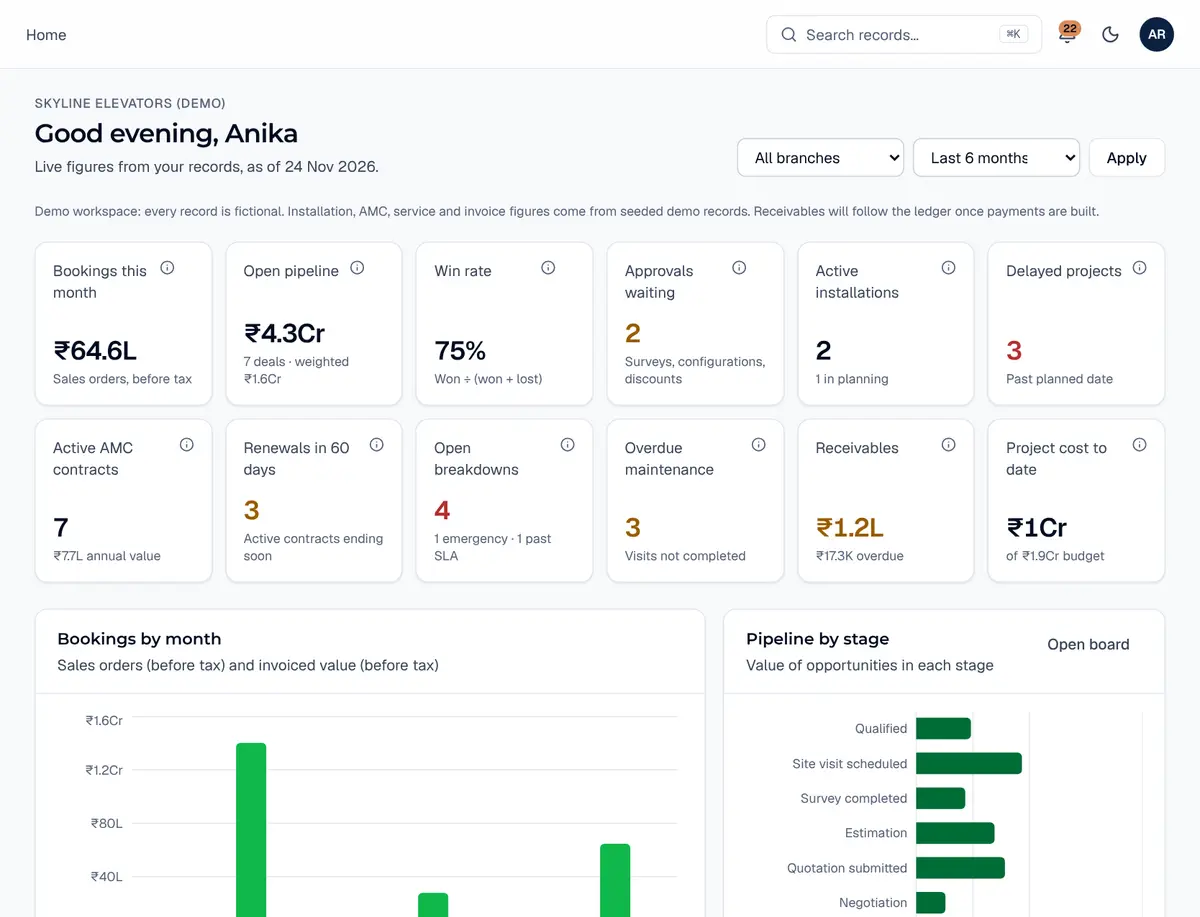
Bookings by month and pipeline by stage, calculated from the live records rather than a weekly sheet.
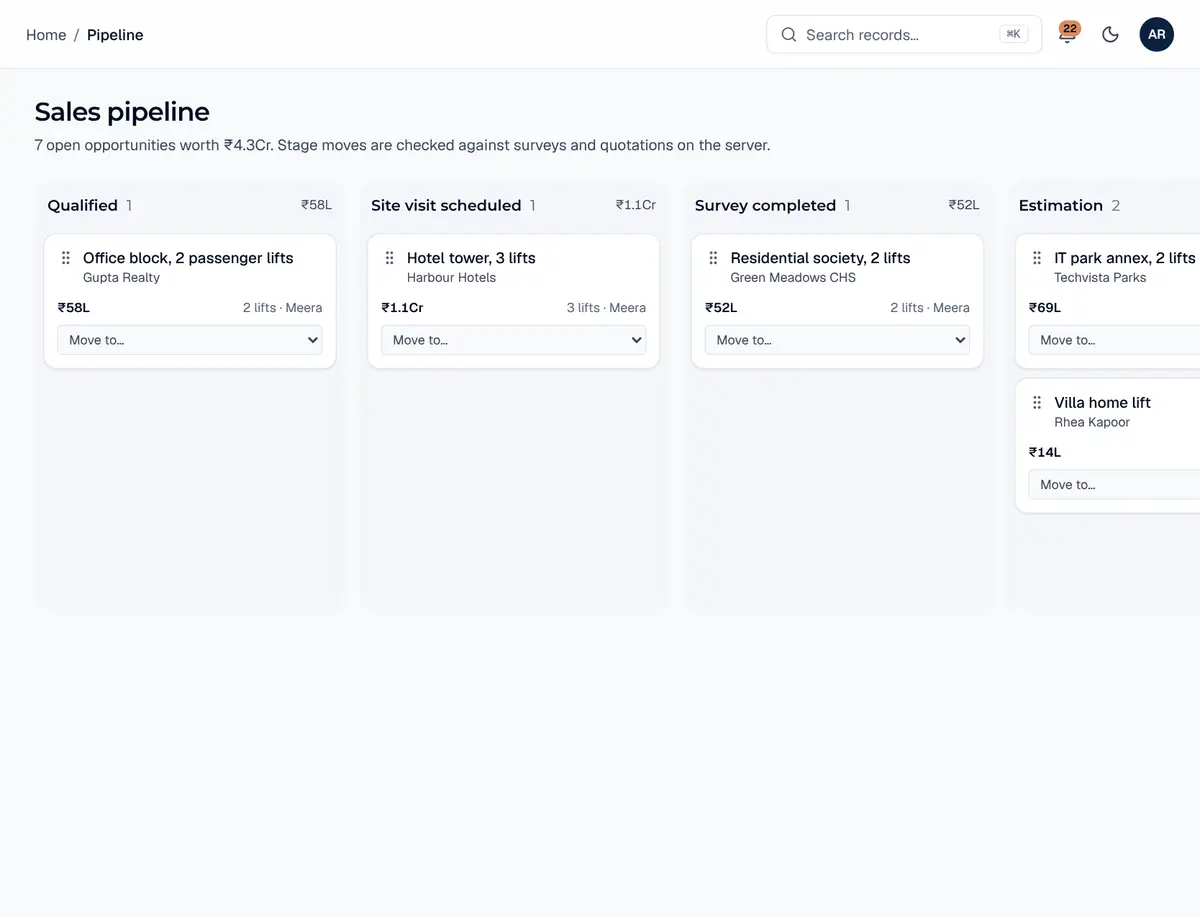
How it helps
Forecasts from real records
Pipeline value comes from the opportunities themselves, so there is no separate report to update.
Stages mean something
An opportunity cannot jump to quotation without the survey and configuration behind it.
Works with a keyboard too
Drag cards on the board, or move them with the keyboard alternative.
Compared with how it is usually done
Spreadsheets, Tally and general ERPs are good tools for what they were built for. This is where each one fits for this part of a lift business.
| Task | Excel, paper and WhatsApp | Tally or a general ERP | OopsWeSold |
|---|---|---|---|
| See value by stage | A weekly sheet someone rebuilds by hand | Only orders and invoices are counted | Live board and dashboard chart |
| Stop skipped steps | Not enforced | Not enforced for pre-sales work | Stage rules block a move until its conditions are met |
| Filter by salesperson | Sort and filter the sheet | Limited to sales vouchers | Owner and search filters on the board |
Other elevator software
We have not compared this area across other elevator software yet.
Checked on 24 November 2026, from each vendor's own website. See the full comparison.
Who it is for
- Sales managers reviewing the board each week
- Directors who want pipeline value they can trust
The problem
Deals sit in the wrong stage, forecast numbers are guesses, and a quotation goes out before engineering has looked at the shaft.
How it works
- 1
See the board
Opportunities sit in columns by stage, with value and owner. Move them by dragging, or with the keyboard.
- 2
Meet the gate
An opportunity cannot reach the survey-completed stage without an approved survey, or the quotation stage without a quotation actually sent, and it is won only by converting an accepted quotation into a sales order. A refused move says why.
- 3
Win or lose with a reason
Closing an opportunity records the outcome, so the numbers you review later mean something.
What you can do today
- Drag-and-drop board with a keyboard alternative
- Stage rules that block a move until its conditions are met
- Owner and search filters
- Pipeline value on the dashboard, calculated from live records
Controls and records
- Branch scope applies to the board
- Stage changes are audited
Not available yet
So there are no surprises:
- Custom stages per company
- Forecast scenarios
Connected to
Questions
Can I rename stages?
Not yet. The stages are fixed for the elevator workflow.